 Switch Cisco
 Switch Meraki
 Switch HPE Aruba
 Switch Huawei
 Switch Alcatel
 Switch Extreme
 Switch Juniper
 Switch Fortinet
 Switch Allied Telesis
 Switch Unifi
 Firewall FortiNet
 Firewall Cisco
 Firewall SonicWall
 Firewall CheckPoint
 Firewall Sophos
 Firewall WatchGuard
 Firewall Meraki
 Firewall PaloAlto
 Firewall Huawei
 Router Cisco
 Router Huawei
 Router Juniper
 Router HPE
 Router Mikrotik
 Wifi Cisco
 Wifi Extreme
 Wifi Meraki
 Wifi Huawei
 Wifi Alcatel
 Wifi Fortinet
 Wifi Aruba
 Wifi Unifi
 Module Cisco
 Module Fortinet
 Module Mikrotik
 Server Dell
 Server HPE
 Server Cisco
 NAS Synology
 NAS Qnap
 Microsoft Software
 Kaspersky License
 Zoom License
 Video Conference
 Điện thoại IP
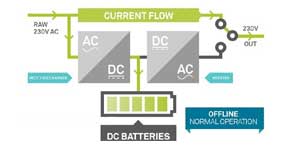 Bộ lưu điện UPS
 Tủ Rack
 Cáp quang
 Cáp mạng
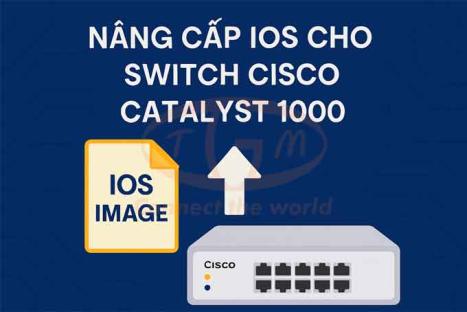
Trong môi trường mạng doanh nghiệp hiện đại, việc duy trì firmware của thiết bị mạng ở phiên bản mới nhất là yếu tố then chốt giúp đảm bảo hiệu suất, tính ổn định và an toàn bảo mật. Các dòng switch Cisco Catalyst 9200, 9300, 9400, 9500 và 9600 sử dụng hệ điều hành Cisco IOS-XE đều hỗ trợ cơ chế nâng cấp linh hoạt thông qua chế độ Install Mode.
Bước 1: Xóa các tệp IOS cũ
Sử dụng lệnh "install remove inactive" để xóa các file không cần thiết, giải phóng dung lượng flash:
Lưu ý: Nếu bạn còn đủ dung lượng, có thể bỏ qua bước này.
Switch# install remove inactive
install_remove: START Mon Nov 14 17:46:18 IST 2022
Cleaning up unnecessary package files
No path specified, will use booted path flash:packages.conf
Cleaning flash:
  Scanning boot directory for packages ... done.
  Preparing packages list to delete ...
    cat9k_lite-rpbase.17.09.01.SPA.pkg
      File is in use, will not delete.
    cat9k_lite-rpboot.17.09.01.SPA.pkg
      File is in use, will not delete.
    cat9k_lite-srdriver.17.09.01.SPA.pkg
      File is in use, will not delete.
    cat9k_lite-webui.17.09.01.SPA.pkg
      File is in use, will not delete.
    packages.conf
      File is in use, will not delete.
  done.

The following files will be deleted:
[switch 1]:
/flash/cat9k_lite_iosxe.17.09.01.SPA.bin

Do you want to remove the above files? [y/n]y

[switch 1]:
Deleting file flash:cat9k_lite_iosxe.17.09.01.SPA.bin ... done.
SUCCESS: Files deleted.
--- Starting Post_Remove_Cleanup ---
Performing Post_Remove_Cleanup on all members
  [1] Post_Remove_Cleanup package(s) on switch 1
  [1] Finished Post_Remove_Cleanup on switch 1
Checking status of Post_Remove_Cleanup on [1]
Post_Remove_Cleanup: Passed on [1]
Finished Post_Remove_Cleanup
SUCCESS: install_remove  Mon Nov 14 17:47:20 IST 2022
Bước 2: Copy Image mới vào Flash
• Thiết lập TFTP server trên máy tính.
• Đặt IP cho Switch (ví dụ: VLAN1) để kết nối được đến máy tính.
Switch# copy tftp://10.8.0.6/cat9k_lite_iosxe.17.10.01.SPA.bin flash:

Destination filename [cat9k_lite_iosxe.17.10.01.SPA.bin]?
Accessing tftp://10.8.0.6//cat9k_lite_iosxe.17.10.01.SPA.bin...
Loading /cat9k_lite_iosxe.17.10.01.SPA.bin from 10.8.0.6 (via GigabitEthernet0/0):
!!!!!!!!!!!!!!!!!!!!!!!!!!!!!!!!!!!!!!!!!!!!!!!!!!!!!!!!!!!!!!!!!!!!!!!!!!!!!!!!!!!!!!!!!!!!!!!!!!!!!!!!!!!!!!!!!!!!!!!!!!!!!!!!!!!!!!!!!!!!!!!!!!!
[OK - 601216545 bytes]
Bước 3: Cấu hình biến khởi động (boot system)
configure terminal
boot system flash:packages.conf
no boot manual
end
• Xác nhận:
Switch# show boot
---------------------------
Switch 1
---------------------------
Current Boot Variables:
BOOT variable = flash:packages.conf;

Boot Variables on next reload:
BOOT variable = flash:packages.conf;
Manual Boot = no
Enable Break = yes
Boot Mode = DEVICE
iPXE Timeout = 0
Bước 4: Cài đặt và kích hoạt Image mới
• Sử dụng lệnh "install add file flash:filename.bin activate commit" để cài đặt image mới vừa copy và flash.
Lưu ý: Switch sẽ tự động reboot. Hãy đảm bảo bạn đã lưu cấu hình trước đó.
Switch# install add file flash:cat9k_lite_iosxe.17.10.01.SPA.bin activate commit
install_add_activate_commit: START Mon Nov 14 12:51:55 IST 2022
Nov 14 12:51:57.795: %INSTALL-5-INSTALL_START_INFO: R0/0: install_engine: Started install one-shot flash:cat9k_lite_iosxe.17.10.01.SPA.bin
install_add_activate_commit: Adding PACKAGE
install_add_activate_commit: Checking whether new add is allowed ....

--- Starting initial file syncing ---
Info: Finished copying flash:cat9k_lite_iosxe.17.10.01.SPA.bin to the selected switch(es)
Finished initial file syncing

--- Starting Add ---
Performing Add on all members
  [1] Add package(s) on switch 1
  [1] Finished Add on switch 1
Checking status of Add on [1]
Add: Passed on [1]
Finished Add

Image added. Version: 17.10.01.0.276
install_add_activate_commit: Activating PACKAGE

gzip: initramfs.cpio.gz: decompression OK, trailing garbage ignored
Following packages shall be activated:
/flash/cat9k_lite-webui.17.10.01.SPA.pkg
/flash/cat9k_lite-srdriver.17.10.01.SPA.pkg
/flash/cat9k_lite-rpboot.17.10.01.SPA.pkg
/flash/cat9k_lite-rpbase.17.10.01.SPA.pkg

This operation may require a reload of the system. Do you want to proceed? [y/n]y

--- Starting Activate ---
Performing Activate on all members
Nov 14 13:03:24.337: %INSTALL-5-INSTALL_AUTO_ABORT_TIMER_PROGRESS: R0/0: rollback_timer: Install auto abort timer will expire in 7200 seconds
  [1] Activate package(s) on switch 1
    --- Starting list of software package changes ---
    Old files list:
      Removed cat9k_lite-rpbase.17.09.01.SPA.pkg
      Removed cat9k_lite-rpboot.17.09.01.SPA.pkg
      Removed cat9k_lite-srdriver.17.09.01.SPA.pkg
      Removed cat9k_lite-webui.17.09.01.SPA.pkg
    New files list:
      Added cat9k_lite-rpbase.17.10.01.SPA.pkg
      Added cat9k_lite-rpboot.17.10.01.SPA.pkg
      Added cat9k_lite-srdriver.17.10.01.SPA.pkg
      Added cat9k_lite-webui.17.10.01.SPA.pkg
    Finished list of software package changes
  [1] Finished Activate on switch 1
Checking status of Activate on [1]
Activate: Passed on [1]
Finished Activate

*Nov 14 13:03:24.298 IST: %INSTALL-5-INSTALL_AUTO_ABORT_TIMER_PROGRESS: Switch 1 R0/0: rollback_timer: Install auto abort timer will expire in 7200 seconds--- Starting Commit ---
Performing Commit on all members
  [1] Commit package(s) on switch 1
  [1] Finished Commit on switch 1
Checking status of Commit on [1]
Commit: Passed on [1]
Finished Commit

Install will reload the system now!
SUCCESS: install_add_activate_commit  Mon Nov 14 13:04:23 IST 2022
Nov 14 13:04:24.586: %INSTALL-5-INSTALL_COMPLETED_INFO: R0/0: install_engine: Completed install one-shot PACKAGE flash:cat9k_lite_iosxe.17.10.01.SPA.bin
Bước 5: Kiểm tra sau khi upgrade
• Kiểm tra lại version: "show version"
• Kiểm tra các gói .pkg đã cài: "dir flash:*.pkg"
Switch# dir flash:*.pkg

Directory of flash:/*.pkg
Directory of flash:/
48582  -rw- 298787860  Jul 20 2022 05:13:32 +00:00  cat9k_lite-rpbase.17.09.01.SPA.pkg
48585  -rw- 35713901   Jul 20 2022 05:14:12 +00:00  cat9k_lite-rpboot.17.09.01.SPA.pkg
48583  -rw- 4252692    Jul 20 2022 05:13:33 +00:00  cat9k_lite-srdriver.17.09.01.SPA.pkg
48584  -rw- 8119312    Jul 20 2022 05:13:34 +00:00  cat9k_lite-webui.17.09.01.SPA.pkg

16640  -rw- 301188116   Nov 14 2022 05:33:25 +00:00  cat9k_lite-rpbase.17.10.01.SPA.pkg
16647  -rw- 35112025    Nov 14 2022 05:34:06 +00:00  cat9k_lite-rpboot.17.10.01.SPA.pkg
16642  -rw- 4326420     Nov 14 2022 05:33:25 +00:00  cat9k_lite-srdriver.17.10.01.SPA.pkg
16643  -rw- 8328208     Nov 14 2022 05:33:25 +00:00  cat9k_lite-webui.17.10.01.SPA.pkg
Kết luận
Việc nâng cấp hệ điều hành IOS-XE trên các dòng switch Cisco Catalyst 9200, 9300, 9400, 9500, và 9600 là một quy trình quan trọng giúp đảm bảo thiết bị hoạt động ổn định, bảo mật và tương thích với các tính năng mới nhất mà Cisco cung cấp.